
21 August 2026 / 20 minutes of reading
Penetration Testing of Autogram: What Remained in the App Used to Sign Documents in Slovakia
When an application is used to sign legally binding documents, its security is no minor detail. Slovensko.Digital knows this, which is why it had Autogram tested not only through a source code audit, but also through a real attack in the form of a penetration test.
At Citadelo, we tested the desktop client, mobile application, and server-side components. The most serious finding was hidden in something an ordinary user might not consider an attack vector.
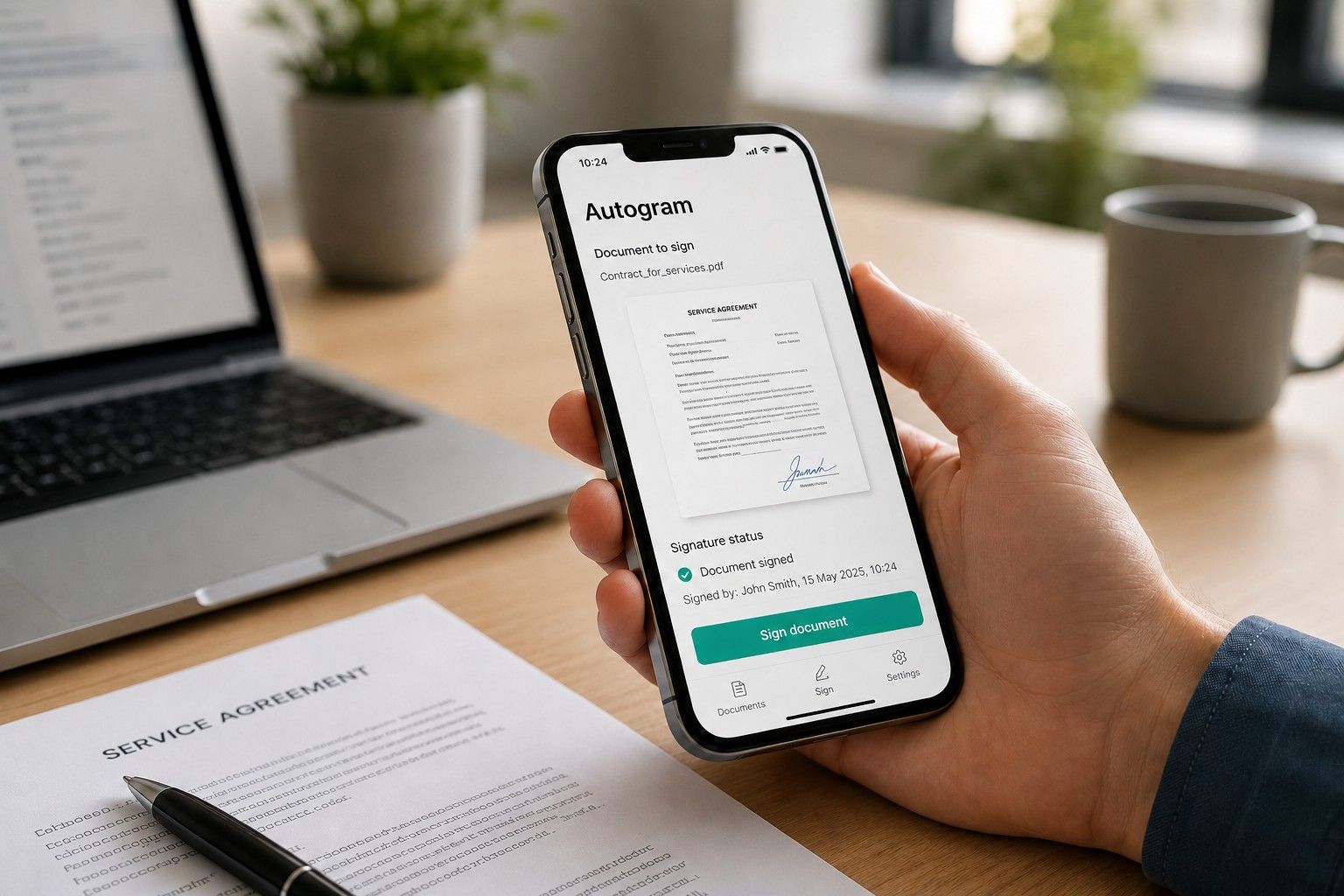
Autogram, developed by Slovensko.Digital and its member company Freevision, was born out of frustration with government electronic signature tools, where many people give up before completing the signing process. Slovensko.Digital is a civic association that has been pushing for higher-quality government digital services for more than 10 years, and Autogram is one of its own tools. It does one thing: it signs a document with the same legal force as a handwritten signature, and it does so in an understandable way, on both computers and mobile devices. Many people rely on it, including people at Citadelo. In cybersecurity, the impact of a security flaw is usually measured in stolen data or a service that stops working. Here, the impact is different: it can cast doubt on the legal validity of a signature and, with it, the evidence of who signed what.
Autogram also has an advantage that most applications we test do not. It is open source, developed in a public repository, and has been scrutinized by the Slovak IT community voluntarily and free of charge for years. This is exactly the kind of environment where vulnerabilities should seemingly be found on their own. We wanted to see what would remain when we subjected it to targeted penetration testing.
“Autogram has approximately 9,000 active users, and an average of 100 documents are signed through the Autogram mobile application every day.” Marek, developer at Slovensko.Digital
How We Penetration Tested the Desktop and Mobile Applications
The engagement had two parts. First, we tested the desktop client according to the OWASP Thick Client Security methodology. This was followed by a penetration test of the mobile application together with the server-side components supporting it, based on the OWASP Mobile Top 10 methodology.
The server side consists of a web API that communicates with the mobile application. Four of the eleven findings from the mobile test were in the API rather than in the application on the phone.
The mobile part was not a single application, but four separate components: a version specifically for Android, a version for iOS, a shared version common to both platforms, and the server API. Each has its own external interfaces, which is why the mobile testing produced significantly more findings than the desktop test. We conducted the test in mid-May 2026 on version 1.5.0 (build 49), the version users had installed from Google Play and the App Store at the time.
We had access to all of this code just like anyone else. Not only the mobile application but also the server-side components supporting it are public. We combined automated tools with manual testing: tools can identify suspicious areas, but only a manual penetration test can determine which of them are actually exploitable. Because Autogram performs cryptographic operations with legal consequences, we focused on data confidentiality, application integrity at runtime, and the resilience of communication between services.
Desktop Client Penetration Test: One Low-Severity Finding
For the desktop client, we examined locally stored data, application memory protection, file processing and previews, as well as whether a malicious library could be injected into the application at startup. Everything held up.
The result was one low-severity vulnerability. To allow Autogram to sign a document sent to it by a website, it runs on the computer as a small local service and responds to such websites. This is intentional, not a flaw. Allowing any website to communicate with the service is a deliberate decision by the developers, without which integration with other services would not work.
The problem was what else the service responded with. Anyone who asked could obtain the exact version of Autogram installed on the computer and a list of drivers for the user's card readers. An attacker could therefore quietly determine exactly what the victim has installed. If they discover that the victim is using an outdated version with a known vulnerability, they can target that specific flaw instead of attacking blindly.
“We came across a desktop application that was genuinely secure. As it later turned out, a large part of the Slovak IT community had voluntarily tested it before us, and even more people actually use it.” Nazarii, penetration tester at Citadelo
Why Mobile Application Security Is Different from Desktop Security
Publicly available code has its limits, and the mobile application showed us exactly where those limits lie. Code is a blueprint. From the blueprint, you can see how a function is written. What it actually does with data received from another application only becomes clear when that data really arrives.
A mobile application is not simply a desktop application with a smaller screen. It has interfaces that do not exist on a computer: intents, content providers, deep links, and system file picker dialogs. These are mechanisms through which applications on a phone exchange data and files. Each of them is also a place where an application that was never invited can send something. That is why we examined them particularly closely.
What the Mobile Application Penetration Test Revealed
One critical vulnerability, one high-severity vulnerability, one medium-severity vulnerability, four low-severity findings, and four informational findings intended to improve the application's overall security.
Almost all serious findings had one thing in common: the application did not validate what it received.
The critical finding involved exactly this kind of input: the filename. Autogram on mobile is designed so that other applications on the phone can send documents to it, for example through email, a file manager, or the “Share” option. Along with the file, Autogram receives its filename and stores it under that name among its temporary files.
However, the filename was not validated. Autogram on mobile trusted it. Instead of a filename such as “contract.pdf”, a malicious application could send text that behaved not like a filename but like a path leading outside the default temporary-file directory. Autogram would accept it and store the file wherever the filename instructed it to. This made it possible to overwrite a file in Autogram's private storage, including the file in which the application stores its settings. These include information about whether the user has accepted the terms and preferences used during the signing process.
The high-severity finding went in the opposite direction: outward. Autogram on mobile trusted file references received from external sources and did not verify whether a reference pointed to a file the user was actually supposed to be able to access. This could be exploited in several ways.
One of them worked like this. When you tap the option to attach a document in Autogram on mobile, the phone offers a list of applications from which you can select a file. A malicious application can insert itself into this list by presenting itself as one of the normal options. If the user selects it, the malicious application can return a reference to one of Autogram's own protected files instead of a document. Autogram has access to that file, so it opens it and sends it to the server, causing the file to leave the phone's protected storage.
This worked even when the application ultimately rejected the file. Autogram on mobile could not display an unsupported file type and showed the user an error, but we had already found the content in its communication with the server. The error message displayed on the screen therefore did not prevent the data leak.
The medium-severity finding concerned logging. The application sent debug logs to an external crash-reporting service. However, the logs also contained sensitive data: the document identifier and its encryption key. They were sent externally when the application crashed because the logs were transmitted together with the crash report. Anyone who has these two pieces of information can access the document and needs nothing else. Writing them to a log is effectively the same as writing credentials there.
One of the less severe findings illustrates well how a technical flaw can turn into a social engineering attack. The application displayed document content exactly as it was received, without validation. This made it possible to insert functional HTML (HTML injection), meaning code that would be rendered on the screen as if it were a genuine part of the interface. An attacker could therefore display a fake dialog directly over the official signing interface, for example prompting the user to enter their eID PIN. A technical flaw thus becomes a ready-made attack surface for phishing.
“Well-written code that has been reviewed by many people is a major advantage. But it does not reveal how an application will process input that does not have the shape it expected. Security cannot simply be read from the code. It has to be tested.” Denis, penetration tester at Citadelo
The remaining findings concerned missing protective measures. They are not vulnerabilities in themselves, but additional mechanisms that make an attacker's work more difficult and time-consuming. Autogram, for example, did not detect whether the device or network had been compromised. Most people are familiar with this from banking applications: many will not even open on a phone with elevated system privileges, and if they detect interference with their communications, they terminate the connection themselves. An application with these mechanisms can refuse to perform signing operations on a compromised device.
What We Could Not Do
A test result is not just a list of findings. It also includes what we attempted but could not achieve, because that shows what held up in the application and what had been designed correctly and securely.
We were unable to take the arbitrary file write any further. With vulnerabilities of this kind, an attacker can sometimes progress to taking control of the entire phone. To do that, however, they must find a library that the application loads at startup and that they can overwrite. Autogram has no such library, and we found no other way to gain full control of the device.
Despite this, we did not lower the severity rating. The finding remained critical because the ability to overwrite the settings of an application used to sign legally binding documents represents, in our view, an unacceptable risk.
We were unable to access the application's internal interfaces directly. Autogram protects them from other applications on the phone, and this is a deliberate design decision, not an accident. A third-party application cannot request a file from them directly. We had to take a detour and make an internal component of Autogram request the file on our behalf.
The server side behaved similarly. Server-side input validation exists. When we supplied a file that was not a document, the server rejected it. It worked exactly as intended.
We left one server-side finding as an open question. The server sends notifications to an address supplied by the device during registration, but it does not validate that address. At least theoretically, this could create a way to send a request somewhere it should not go. We did not demonstrate exploitation, however, so the finding remained at the lowest severity level, with a recommendation that the developers verify it internally. We do not overstate findings that we cannot prove.
Both of the most serious findings have one important limitation: they cannot be triggered remotely. The attacker must have their own application installed on the victim's phone, or the victim must open the attacker's link. This did not reduce the severity, as malicious applications are also distributed outside the official Google Play and App Store marketplaces. It only narrows the pool of potential attackers: this is not a random person on the internet, but someone who has already managed to get onto the phone.
So, is signing with Autogram secure as a whole? Our test cannot answer that question. We tested Autogram and the server that supports it, not the identity card or the government components that verify the signature. Those are not Slovensko.Digital systems, and we do not test them without authorization from their administrator.
Penetration Testing vs. Automated Vulnerability Scanning: Why a Scanner Would Not Find These Issues
Neither of the two most serious findings could have been confirmed by a scanner alone, and that is precisely the difference between automated vulnerability scanning and manual penetration testing. A scanner can read code and flag a suspicious location. It cannot demonstrate that the issue is exploitable or determine what an attacker can actually gain from it.
To demonstrate the arbitrary file write, we had to create our own malicious application that presented itself to Autogram as the source of a document and supplied it with a specially prepared filename. To demonstrate file leakage, we built our own file picker application and registered it with the system so that a user could select it instead of the legitimate one. A scanner does not build an adversary. That is why, in ethical hacking, attack tools are built specifically for the target. Otherwise, a flaw like this can neither be confirmed nor ruled out.
How Slovensko.Digital Fixed the Vulnerabilities: Fixing the Root Cause Instead of Applying Eleven Patches
A test only has value when something changes as a result. Here, we can show exactly what changed.
Thanks to the public code, we did not stop at the symptom of the problem but traced it back to its root cause. That is the difference between recommending “add input validation” and identifying the exact place where validation is missing.
The developers prepared fixes that address the issues we identified. For this reason, we recommend updating the Android version of Autogram on mobile as soon as possible.
More interesting than the speed of the fix is how it was implemented. Instead of applying a patch everywhere the problem appeared, the developers added a single component that first determines where a file reference actually points and then verifies whether that location is on the allowlist. They fixed the root cause rather than one of its symptoms.
The advantage of open development is that anyone can verify all of this. You do not have to trust us or them: the pull request is public. https://github.com/slovensko-digital/avm-app-flutter/pull/119
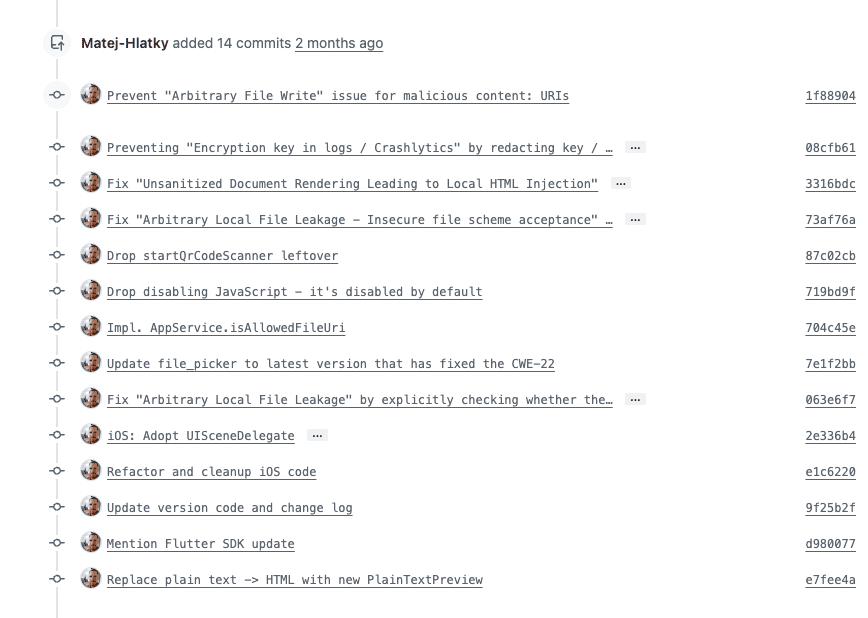
The critical arbitrary file write, local file leakage, encryption key in logs, and HTML injection have all been fixed in the current version of Autogram available in the App Store and Google Play. If you use the application, simply make sure it is up to date.
A Finding That Cannot Be Cleanly Fixed
One finding remains open, and this is not an oversight. In our report, it has the lowest possible severity and is presented only as a recommendation, yet it is perhaps the most interesting finding from the entire test.
When a person signs using an electronic identity card, they enter two codes they have always been told never to disclose to anyone: the BOK and the signature PIN for the qualified electronic signature. The application has to keep them in memory temporarily; otherwise, it could not work with them. We managed to read the memory of the running application and found both codes there in readable form.
Why, then, is this only an informational finding? Because the attack assumes a phone that the attacker already fully controls. More importantly, in the language in which the application is written, a sensitive value like this cannot be reliably erased from memory. The system releases it when it chooses to, and an attempt to overwrite it may not even be executed because the optimizer can discard the operation as unnecessary. A truly clean solution is only possible in languages that provide direct control over memory.
So can't it be fixed by clearing the values? Partially. The codes can be kept in memory for a shorter period and in a form that can be overwritten, but this provides no guarantee. The rest is about preventing an attacker from gaining access to memory in the first place, which is where compromised-device detection comes in. The application did not have this mechanism, and this was a separate finding in our report, also at the informational level. Together, these two least severe findings therefore explain more than the critical one. The boundary of what can be fixed here is determined not by the developer, but by the platform on which the application runs.
What Should You Take Away from This Penetration Test If You Develop Your Own Application?
If you develop an application for multiple platforms, test each one separately. The desktop version of Autogram was in good shape, while the mobile version had a critical finding. This was not negligence. They simply exposed different interfaces.
The second takeaway is more specific. If your application receives anything from other applications on a phone, everything it receives is potential attacker-controlled input, not just the contents of a file. That includes the filename and the reference pointing to it. Almost all of our findings had this single root cause.
Third: every log entry containing a key or token should be treated as a credential.
And the main takeaway: open source code is a huge advantage, and Autogram made full use of it, but it is not a substitute for security testing. Code shows what an application does. An attack shows what can be done to it.
Need to Test Your Own Application?
At Citadelo, we perform penetration testing of mobile applications, web applications, and infrastructure, as well as phishing simulations and tailored security assessments. If you are developing something that works with identity, signatures, or payments, tell us what you are building and we will get back to you with a proposed testing scope.
Other interesting articles
All news



Sign up for our newsletter for all the important cybersecurity and ethical hacking news.
© 2024 citadelo AG. All rights reserved.


